Guides
Play 8 Ball Pool Online Free: No Download, Right in Your Browser
Play 8 ball pool online free in your browser, no app or download. How browser pool works, how good the computer opponent is, and tips for your first racks.
 By Mahedi Hasan9 min read
You can play 8 ball pool online free without installing anything: open Cue Lagoon in any browser, pick an opponent, and you're breaking inside ten seconds. It runs on a phone, a tablet, a laptop or a school Chromebook, it costs nothing, and there is no account wall. If you have never played pool in a browser before, this guide covers what works differently from the app versions, how good the computer opponent really is, and the few habits that win racks early.
We made Cue Lagoon ourselves, and we have put a lot of hours into it on cheap Android phones and on a desktop with a mouse. Where we say "the cue ball does X", that is from the game's physics code and from playing it, not from a feature list.
Why play pool in a browser instead of an app?
The honest answer is that it depends on what you want. The big mobile pool apps are polished and have millions of opponents online. They also want 200 MB of storage, an account, notifications, and they sell cues for real money. A browser pool game skips all of that. You tap a link, the table loads, you play. When you close the tab, nothing is left on your phone.
There are three cases where a browser game is simply the better choice:
- You're on a device you don't own. A library PC, a work laptop, a school Chromebook. You can't install an app there, and you shouldn't. A web page is fine.
- You want a quick rack, not a session. One game of 8-ball in Cue Lagoon takes four to seven minutes. There's no login, no daily-reward popup, no "your friend challenged you" screen between you and the table.
- Kids. No in-app purchases means nobody buys a $40 cue by accident. Cue Lagoon's coins are earned by playing and only buy cosmetic cues and cloths.
What you give up: live online matches against strangers. Cue Lagoon plays you against the computer, against eight cartoon rivals in a tour, or against a friend sitting next to you (you pass the phone). For a lot of people that's actually the point.
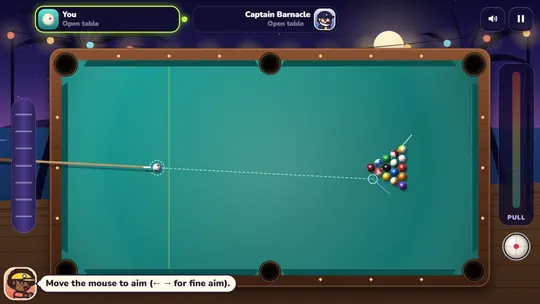
How to play 8 ball pool online in Cue Lagoon
Open the game and pick a mode from the lagoon bar. Marlo, the host in the sun cap, hands you a cue and you're at the table.
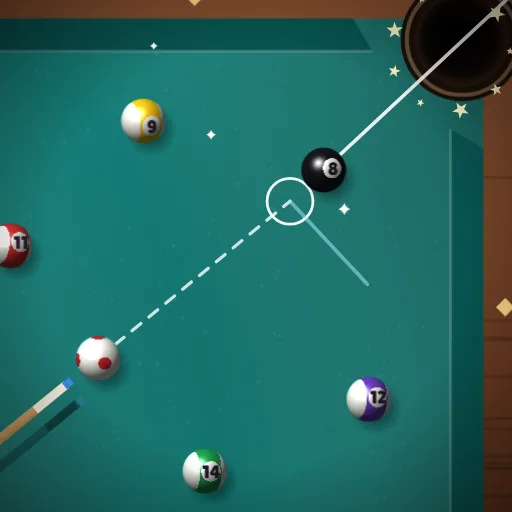
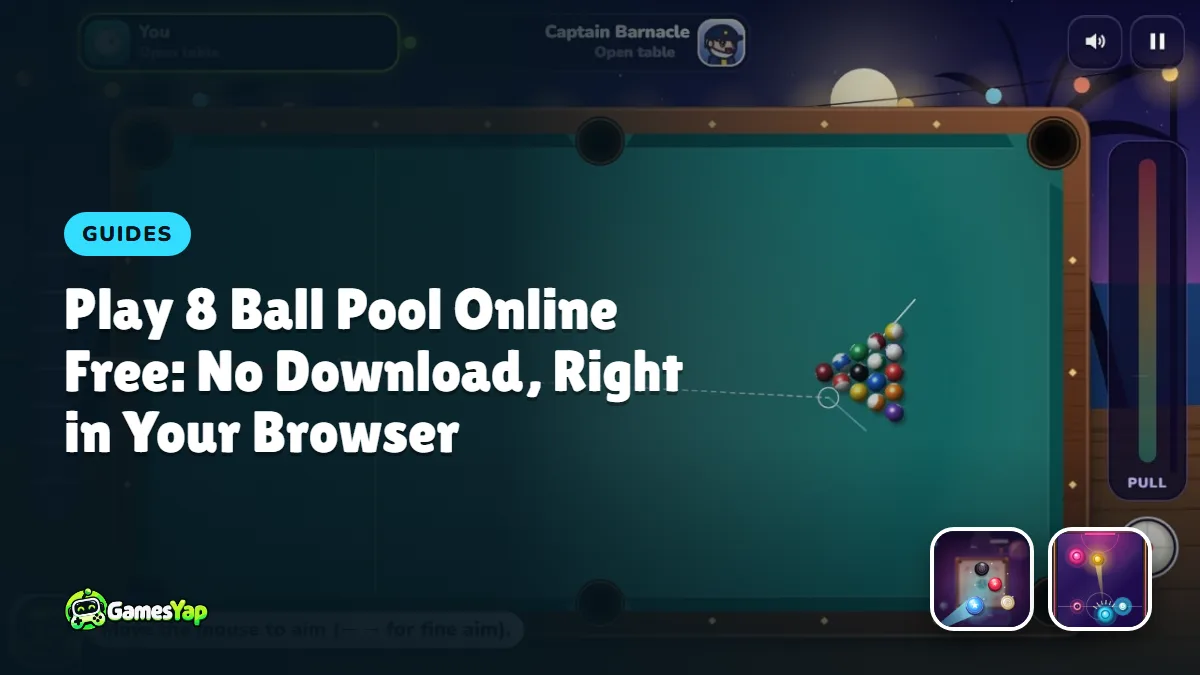
- Aim. On a phone, drag anywhere on the table to swing the cue around the white ball. On a computer, move the mouse. A dotted guide shows where the cue ball travels, a small ghost circle shows where it will meet the object ball, and a second line shows where that ball will go. On Easy the object-ball line is longer; on Hard it's short, so you have to judge the angle yourself.
- Fine aim. Tiny adjustments are hard with a thumb. The wheel on the left of the table (or the left and right arrow keys) moves the aim a fraction of a degree at a time. Use it on every long pot.
- Spin. Tap the little cue-ball icon bottom right and drag the red dot. Hit low for draw (the cue ball comes back), high for follow (it rolls forward after contact), left or right to change how it comes off the cushions. Spin also pulls your aim slightly, so re-check the guide after you set it.
- Power. Pull the bar on the right down and release. Pull it all the way for the break; for most pots, half power is plenty and leaves the cue ball where you want it.
- Shoot, then watch. The balls roll until everything stops. If you potted one of your group and didn't foul, you shoot again.
The rules are standard 8-ball: the table is open until someone legally pots a ball, that player takes that group (solids 1–7 or stripes 9–15), and you win by clearing your group and then sinking the 8. Scratching, hitting the wrong ball first, or sending nothing to a cushion hands your opponent ball in hand. If you want the full rulebook with the edge cases, our 8-ball pool rules guide walks through all of it.
How good is the computer opponent?
Better than most browser pool games, and tunable. Cue Lagoon's computer looks at every straight pot on the table, checks whether the path is clear, works out the speed from the friction model, and picks the shot that leaves it best placed for the next one. It also plays safeties when nothing is on. The difference between Easy, Normal and Hard is how much error the computer adds to its aim and power. On Easy it misses a lot of long pots. On Hard it runs out from an open table more often than we'd like to admit.
The Lagoon Tour is the way to feel that progression. Eight rivals, from Coco at Rookie up to The Admiral at Champion, one rack each. The first win against each pays coins (40 for the first rival, 15 more for each one after), and beating all eight unlocks the Golden Cue. We'd suggest playing the first three on Normal before you touch Hard; the jump at Captain Barnacle is where most people start losing.
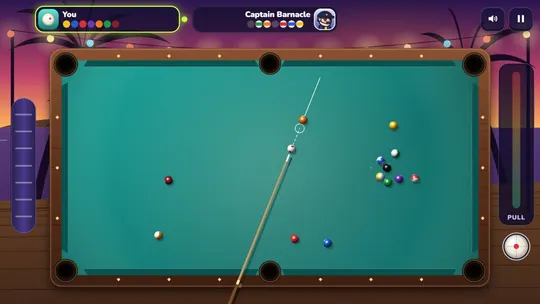
Tips for your first ten racks
Break from the side, not the center. Put the cue ball a little left or right of center behind the head string and hit the second ball of the rack at full power. It spreads the rack better than a dead-center hit and tends to send a corner ball toward a pocket. The break cue in Cue Lagoon hits about 25% harder than a normal shot, so you don't need to add anything.
Don't take a group on the break pot. When you pot one on the break, the table is still open. Look at both groups and ask which one has fewer balls stuck on a cushion or tied up with the 8. Take the easier set, even if it means ignoring an obvious pot in the other one.
Half power, nearly always. Beginners hit everything hard because hard feels safe. It isn't: a fast cue ball runs further after contact and ends up in a bad spot or in a pocket. On a straight-ish pot from mid-table, a quarter to a half pull is enough. Watch where the cue ball stops, and if it's rolling too far, pull less next time.
Use the tangent line. After contact, the cue ball leaves along a line at right angles to the object ball's path (the game draws it). If that line points at a pocket, you're about to scratch. Add a touch of top or bottom spin to bend it away, or pick a different shot.
Leave the 8 alone until the end, then plan the last two shots together. The most common way to lose a won rack is potting your last ball and leaving the cue ball with no angle on the 8. Before your last object ball, decide where you want the cue ball to stop, and play for position rather than for the pot.
Do the three daily trick shots. Every day Cue Lagoon sets up three bank-and-combination puzzles. The first one is always makeable with a plain, well-aimed shot; the second and third never are. They're a free lesson in cushion angles, and the starred ball pays 20 coins once a day.
What about playing with a friend?
Cue Lagoon has a 2-player mode on one device: you pass the phone or share the mouse, and each player gets their own card at the top of the screen with their group's remaining balls. It's the way pool is actually played at a bar, just without the chalk. No coins or points are awarded in that mode, which keeps it fair.
If you want more two-on-one-device games for a couch or a classroom, we keep a list in free 2-player games you can play on one device. And if you like the flicking-and-angles feel of pool but want something faster, Carrom Comet (a carrom board with the same kind of guide line) and Glide Puck, an air hockey table, are the two we'd point you to next.
Does it run well on a phone?
Yes, and that was the whole design brief. The table turns to fit the way you hold the phone: in portrait the long side of the table runs up the screen, the power bar goes sideways, and the spin and fine-aim controls move to where your thumbs are. In landscape you get the classic bar-table view with both player cards across the top. We test every build down to a 360×640 screen, which is roughly a budget Android from several years ago, and the balls stay sharp because the table is drawn at your screen's real resolution rather than stretched from a picture.
Data use is small. The game loads once (about 2 MB) and then needs nothing from the network while you play. If your connection drops mid-rack, the game pauses with a "no internet" cover and continues when you're back.
FAQ
Is 8 ball pool online free to play on GamesYap?
Yes. Cue Lagoon is free, with no download and no account needed to play. Signing in is optional and only matters if you want your GamesYap points and progress saved across devices. The coins inside the game are earned by playing and buy cues and cloths, nothing that affects how the balls roll.
Can I play 8 ball pool online without downloading an app?
That's exactly what a browser pool game is. Open the Cue Lagoon page in Chrome, Safari, Firefox or Edge on any phone, tablet or computer and the table loads in the tab. Nothing is installed. If you want an icon on your home screen anyway, the site offers an "Install app" button that adds a shortcut without an app store.
Is Cue Lagoon the same as the popular mobile pool app?
No. Cue Lagoon is an original game made by the GamesYap team with its own table, characters and physics. It plays standard 8-ball rules, which are the same everywhere, but it isn't connected to any other pool game or company and has no online matchmaking against strangers.
Does it work on a school Chromebook?
Yes. Cue Lagoon runs in the Chrome browser with nothing to install, so it works on a managed Chromebook as long as the gamesyap.com site isn't blocked by your school's filter. It plays with a trackpad or a mouse, and the fine-aim keys help on a trackpad.
Can two people play on one phone?
Yes. Pick the 2 players mode at the lagoon bar and hand the phone over after each turn. Each player has a card at the top showing their group's remaining balls, and the game tracks fouls and ball in hand for both. No coins or points are given in this mode.
How do I get better at long pots?
Use the fine-aim wheel for the last adjustment, hit at half power or less, and aim with the ghost ball rather than the guide line's end point. On Hard the object-ball line is short on purpose, so practice on Normal first until you can see the angle without it, then move up.