Guides
Zombie Co-op Game Guide: How to Survive Online With Two Team Mates
How to play a zombie co-op game online in your browser: opening a room, team roles, getting team mates back up, stage bosses and the results board.
 By Mahedi Hasan6 min read
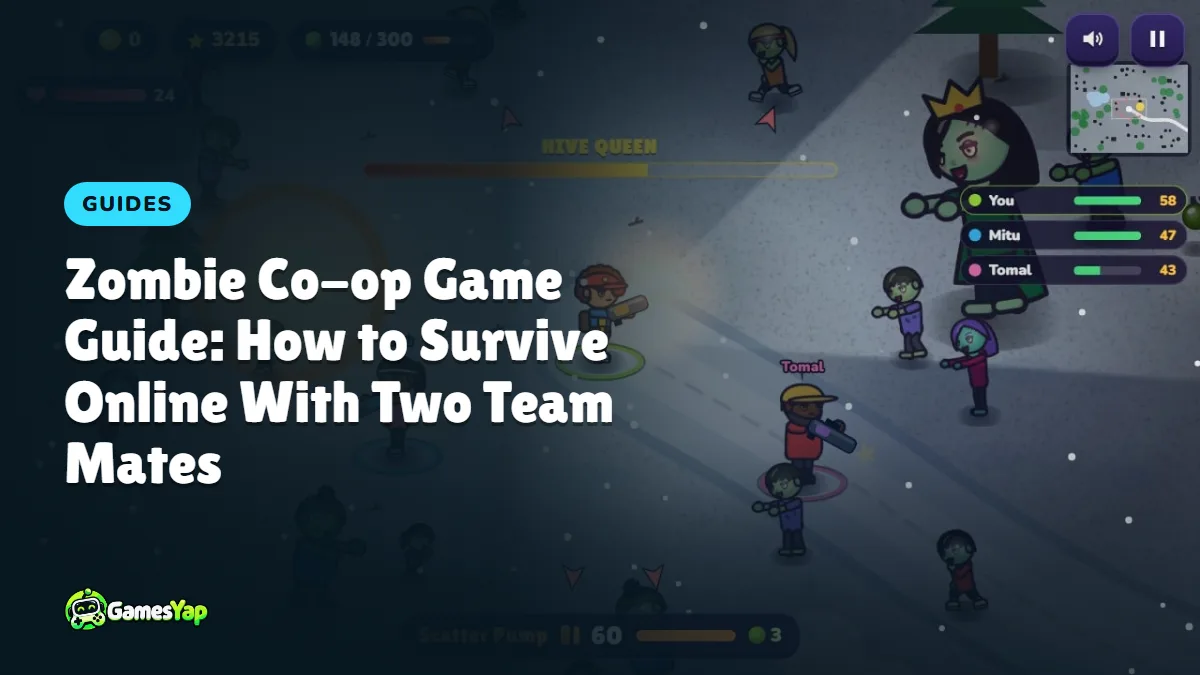
A zombie co-op game changes what a horde shooter is about. Alone, you only have to look after yourself. With two team mates on the same map, the questions become who draws the horde, who watches the edges and who goes for the boss. This guide explains how Co-op Online works in Shamble Siege, and how a team of three can last much longer than three players who each fight on their own.
What Co-op Online is
Co-op Online puts up to three heroes in one room, on one map, against one horde. Everyone sees the same zombies in the same places, so a brute you soften up really is weaker when your team mate turns to shoot it.
The stages are harder than the solo game:
- Stage 1 starts with a horde of 50 zombies, so a new team has room to find its feet.
- Every stage adds 50 more, up to 750, and the zombies get tougher and arrive faster.
- Every third stage ends with a boss, and the bosses are tougher than in solo play.
There is no setting to make it easier. The team is the difficulty setting: three heroes who stick together will clear stages that would crush one hero.
How to open or join a room
Tap CO-OP ONLINE on the menu. From there you have three ways in.
- Create an open room. Choose Open room and tap Create a room. Your room appears in the open rooms list of everyone who is looking for a match, so other players can walk straight in.
- Create a friends-only room. Choose Friends only instead. The room stays off the list. Share the invite link, or read out the six-character room code, and only the people you invite can join.
- Join a room. Pick one from the open rooms list, type a code into the Room code box, or simply open a friend's link.
The lobby shows three seats, each hero's name and the hero they picked. The host starts the match once at least two heroes are in. You keep your own hero, outfit, starter gun and upgrades from the Shop, so a team can mix a fast scout with a tough bruiser.
Give each hero a job
Three heroes firing at the same walker is a waste. The teams that last agree on rough jobs, even without talking.
- The anchor stays near the middle and keeps firing. A tough hero with a shotgun suits this well.
- The runner circles the outside and pulls the horde into a line. A fast hero is ideal, because zombies chase the closest hero they can find.
- The cleaner picks off the dangerous ones: acid spitters that shoot from range, bombers before they reach the group, and screamers that call more zombies in.
Because each zombie goes for the hero nearest to it, where you stand decides who gets chased. If one team mate is low on health, step between them and the horde for a few seconds and the zombies will turn to you.
Read the team list
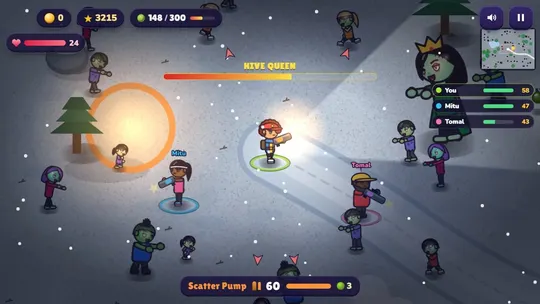
The list on the right shows every hero's health bar and how many zombies they have taken down. Glance at it often.
- A health bar going red means that hero needs space. Move toward them and thin the zombies around them.
- A hero whose count is far behind may be stuck with a weak gun. Leave the next gun drop for them.
- Coins, guns and gift boxes go to whoever walks over them first, so do not all run for the same drop while the horde closes in.
When a hero goes down
Going down is not the end in co-op. The hero stays on the ground, the camera follows a team mate, and a card offers a way back:
- Watch a short ad to get back up at once with half your health and a moment of safety.
- When no ad is ready, a short wait unlocks the same button for free.
The match only ends when every hero is down at the same time and nobody gets back up before the countdown on the card runs out. So the rule for the heroes still standing is simple: stay alive and keep moving. Do not rush into the horde to "save" someone. Circle wide, keep firing, and let your team mate get back up.
Beating the stage boss
On every third stage a boss arrives once most of the horde is gone, and it is built for a team: its health grows with the stage and with the number of heroes.
- Big Grumbles winds up and then charges in a straight line. Step sideways when it leans back, never backwards.
- The Hive Queen calls packs of crawlers. One hero should keep clearing the crawlers so the other two can keep shooting her.
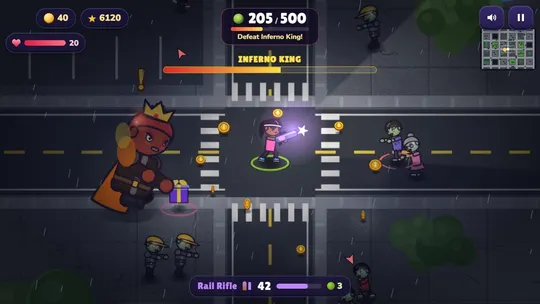
- The Inferno King throws rings of fireballs. Stand apart from each other so one ring cannot hit the whole team.
Save bombs and the big guns for the boss, and spread out around it. The hero who lands the last hit gets the boss kill on the board, but every hit counts toward bringing it down.
The board after each stage
When a stage is cleared, a board shows how it went:
- who came 1st, 2nd and 3rd on that stage, by points;
- how many zombies each hero took down;
- who beat the boss (a star);
- the match so far, with everything added up.
The next stage starts after a short countdown, or at once when someone taps Next stage now. When the match is over, the final board has a Share result button. It gives you a score card you can save as a picture or send as a link, with every hero's points, zombies, stage wins and boss kills.
Quick tips for co-op
- Start moving the moment the stage begins. The first rush comes early.
- Fight near open ground. Buildings and cars block your shots as well as the zombies.
- Use lava and exploding barrels. A barrel blast hurts every zombie around it.
- If your connection drops for a moment, stay in the game. It catches up by itself and puts you back in the same match.
- Co-op is for fun: it does not give GamesYap points. Points come from the solo stages.
For movement and kiting basics that work in both modes, read our zombie shooter tips. To play with friends in a calmer way, see how to play cricket with friends online, or browse more shooting games.
FAQ
How many players can play Shamble Siege co-op?
Up to three heroes share one room. A match needs at least two, and the host starts it from the lobby. A player who arrives while a match is running takes a seat, sees the scores and joins the next match.
Do I need an account to play co-op?
No. The game runs in your browser, and you can create or join a room without signing in. Guests can play a few games each day. Signing in to a free GamesYap account removes that limit and shows your account name to your team.
Can strangers join my room?
Only if you choose Open room, which lists it for everyone looking for a match. Choose Friends only and the room stays off the list: only people with your invite link or six-character room code can join.
What happens if I lose my connection?
The game tries to join again by itself. Your hero stands still while you are away, and when you are back the game catches up to the same moment as your team. If you reload the page within a few minutes, you return to the same room and match.
Does co-op give GamesYap points?
No. Co-op matches are just for fun, and the coins you pick up go to your in-game wallet for the Shop. GamesYap points come from the solo stages, where the server checks every result.