
Guides
HyperX Cloud III S Wireless Review Roundup: Is It Worth It? Battery, Mics and Our Verdict
Is the HyperX Cloud III S Wireless worth it? Up to 200 hours on Bluetooth, two mics and Cloud comfort, but no Xbox. What reviewers found, and who should buy it.
 By Mahedi Hasan8 min read
We may earn a commission if you buy through links on this page, at no extra cost to you.
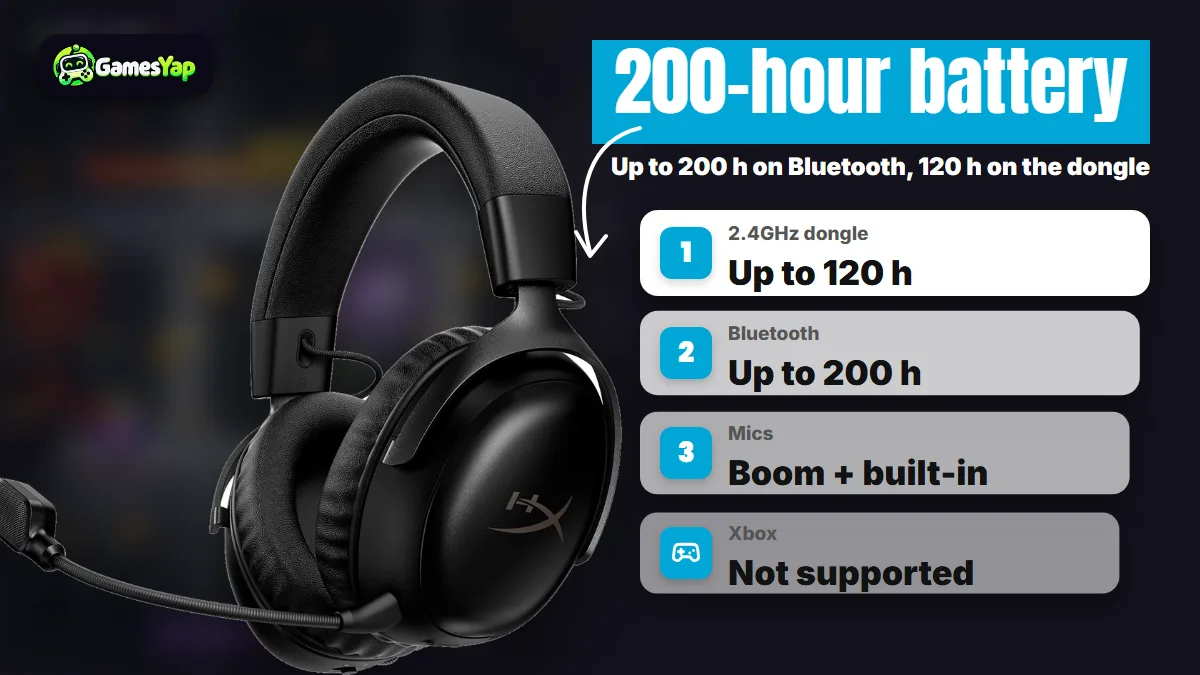
This HyperX Cloud III S Wireless review roundup has a simple answer: it's worth it if you play on PC, PS5 or Switch and want one headset that also pairs with your phone. The battery life is huge and the comfort is classic Cloud. If you play on Xbox, stop here: it doesn't support Xbox.
Here's what to do: check that your platforms are on the list below, then look at the price of the Black model. If you only play on one wired device, the cheaper wired Cloud III gives you the same comfort.
Our verdict in 30 seconds
- Buy it if: you want wireless on PC, PS5 or Switch plus Bluetooth for your phone, and hate charging.
- Skip it if: you play on Xbox, need a wired backup, or run hot during long sessions.
- Why: HyperX rates it at up to 120 hours on the dongle and up to 200 hours over Bluetooth.
HyperX Cloud III S Wireless specs at a glance
From HyperX's spec sheet for the Cloud III S Wireless. Battery figures are HyperX's own, measured at 50% volume.
| Spec | HyperX Cloud III S Wireless |
|---|---|
| Battery | Up to 120 h (2.4GHz), up to 200 h (Bluetooth), 5 h to charge |
| Connections | 2.4GHz USB-C dongle (USB-A adapter included), Bluetooth 5.3 |
| Drivers | 53mm dynamic, angled, neodymium magnets |
| Microphones | Detachable 10mm boom mic, plus a built-in mic |
| Works with | PC, Mac, PS5, PS4, Nintendo Switch, phones (not Xbox) |
| Weight | 0.79 lb (headset only) |
| Wireless range | Up to 20 m (about 65 ft) |
How we judged it
We haven't had a Cloud III S on our own heads, so this verdict comes from research, not from our own testing. It's based on HyperX's official specs and product page, reviews from Tom's Hardware and Tom's Guide, and how it compares with the wired Cloud III and the older Cloud III Wireless.
Why we picked it
- Battery life that few headsets match: up to 120 hours on the dongle, up to 200 hours on Bluetooth.
- Two ways to connect, so you can play on PC or PS5 and take calls from your phone.
- A detachable boom mic for gaming and a built-in mic for when you're out.
- The same comfortable Cloud III fit, with memory foam in the headband and pads.
Watch out for
- No Xbox support, and no wired or 3.5mm audio mode at all.
- The leatherette pads can get warm. Tom's Guide said its reviewer's ears got hot.
- It doesn't fold flat, and it's heavier than the wired Cloud III.
What's new compared with the Cloud III Wireless
HyperX announced the Cloud III S Wireless at HP's Amplify event in March 2025, and Tom's Hardware lists a May 12, 2025 launch. It's a follow-up to the Cloud III Wireless, which only had a 2.4GHz dongle. The "S" adds:
- Bluetooth 5.3, so it pairs with phones, tablets and laptops without the dongle.
- A built-in mic for calls when the boom mic is off.
- A multi-function button for play, pause, skipping tracks and answering calls.
- Instant Pair with select HP OMEN laptops, no dongle needed.
- Magnetic ear-cup caps that come off. Tom's Hardware notes HyperX hadn't announced any replacement caps.
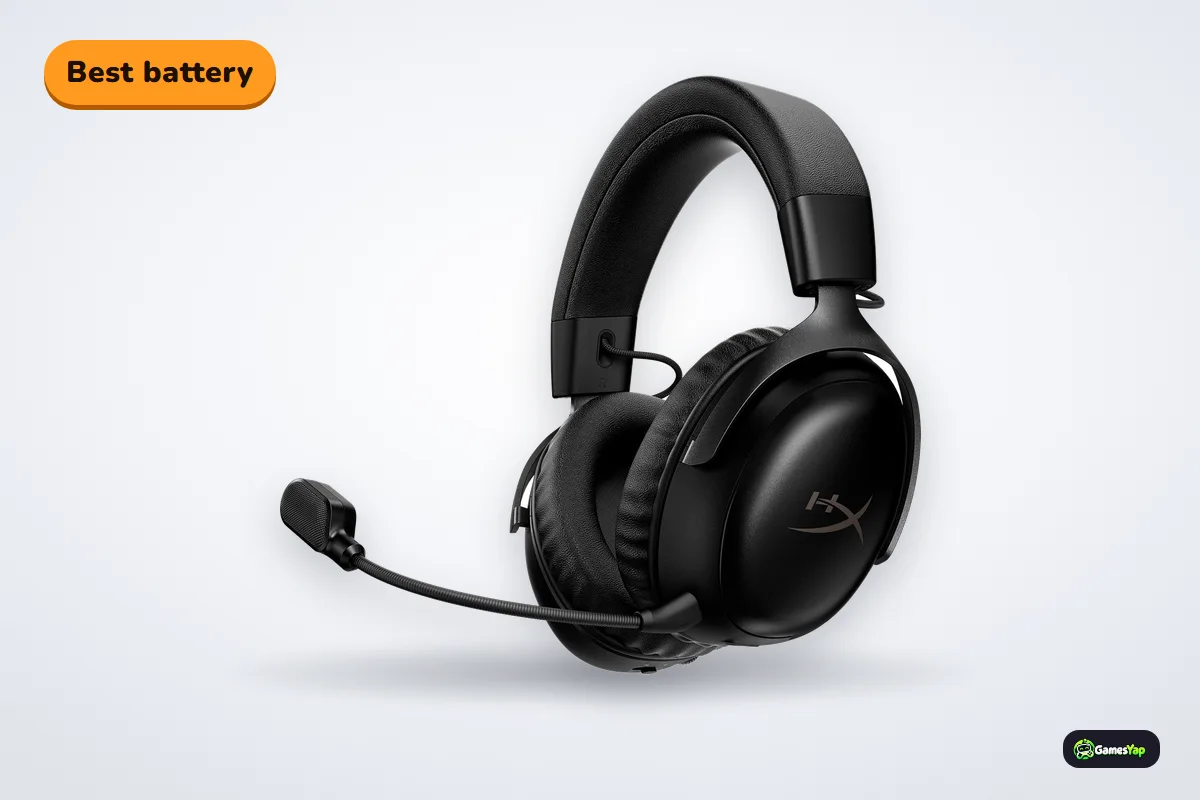
Tom's Hardware summed it up as everything the Cloud III Wireless should have been. You get the same comfort and sound as the Cloud III family, plus far more ways to connect.
Best for: PC, PS5 and Switch players who also want a Bluetooth headset for their phone. Skip if: you're on Xbox or want to plug in a cable when the battery runs out.
Battery life: the standout
HyperX rates the battery at up to 120 hours on the 2.4GHz dongle and up to 200 hours on Bluetooth, based on 50% volume with continuous playback. Even if your real number is lower, that's weeks of evening gaming between charges. A full charge takes about 5 hours over USB-C.
There's an auto-shutoff in the NGENUITY app (10, 20 or 30 minutes, or never), so a headset left on your desk doesn't drain overnight.
Comfort and sound
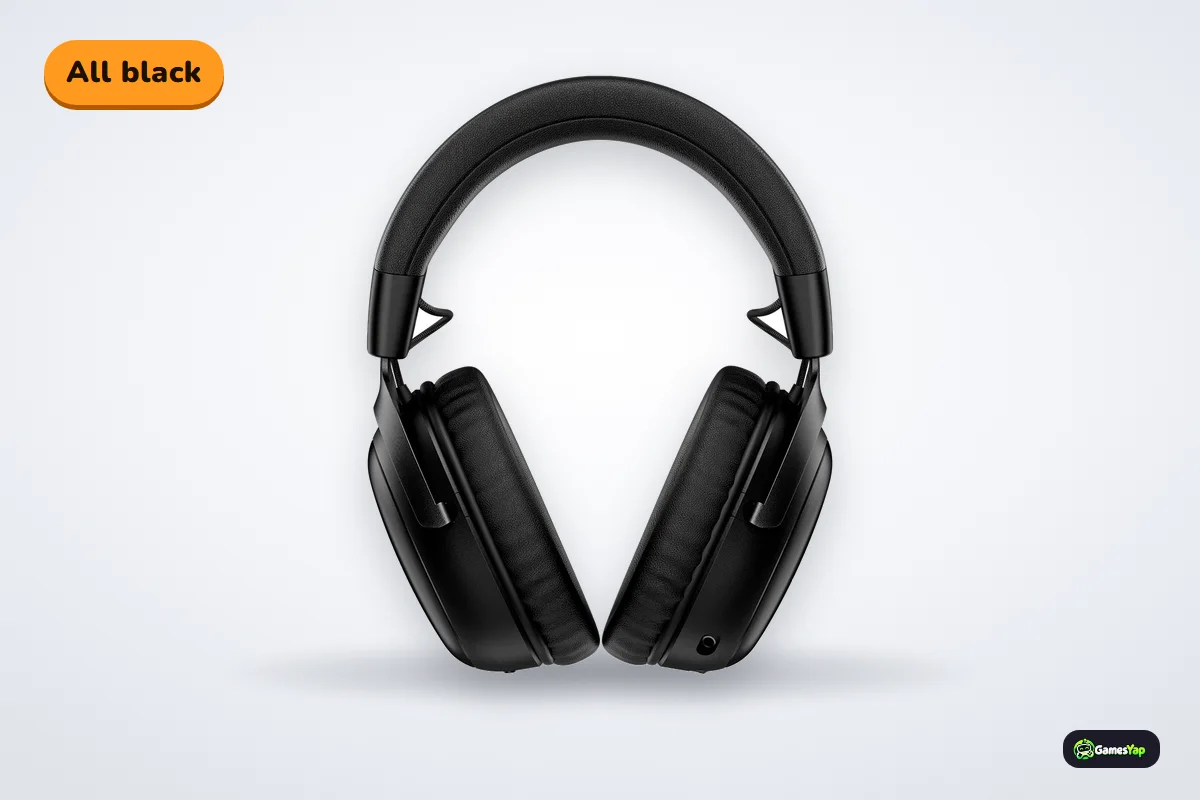
The Cloud III S keeps the Cloud III's padded headband, aluminum forks and angled, memory-foam ear cups. Tom's Hardware said it's extremely comfortable, with light clamping that still keeps it on your head. Tom's Guide agreed it's very comfortable but found the leatherette pads got hot over long sessions. If you game in a warm room, that's worth knowing.
It weighs a bit more than the wired Cloud III because of the battery. HyperX lists the headset at 0.79 lb.
Sound comes from the same family of angled 53mm drivers as the Cloud III. Tom's Guide called it fantastic and immersive in games. Tom's Hardware said it's a great gaming headset with deep bass, clear highs and slightly held-back mids, though not the best choice for pure music listening. The DTS Spatial Sound toggle in the app didn't impress Tom's Hardware, which could barely hear a difference.
Two mics: boom and built-in
The detachable 10mm boom mic is uni-directional and has a mesh filter and an LED mute light. When you take it off, a built-in mic takes over, so you can use the headset for calls on the go.
Reviews split a little here. Tom's Guide said both mics were loud and clear. Tom's Hardware said the boom mic sounds clear but records at a low volume, even with gain turned all the way up. It found the built-in mic surprisingly close to the boom mic. Either is fine for party chat and calls. Neither replaces a real streaming mic.
Platforms: check this before you buy
HyperX lists PC, Mac, PS5, PS4, Nintendo Switch, phones and other Bluetooth devices. There's no Xbox support. Xbox consoles don't accept this kind of USB dongle or Bluetooth audio, and the Cloud III S has no 3.5mm audio input to fall back on. The 3.5mm port on the left cup is only for the boom mic.
Cloud III S Wireless vs the wired Cloud III
Buy the wired Cloud III if you sit at one PC or console and don't mind a cable. It usually costs less, weighs less and works with Xbox through the 3.5mm plug. Buy the Cloud III S if you move between devices, want to take calls from your phone or just want to get rid of the cable. If you still have an older HyperX headset, our HyperX Cloud II review roundup explains how far the line has come. For all three side by side, see the Cloud II vs Cloud III comparison.
Is the HyperX Cloud III S Wireless worth it?
Yes, for PC, PS5 and Switch players who want comfort and almost no charging. The battery life and the extra Bluetooth connection are what you're paying for over the wired Cloud III. It's the wrong choice for Xbox players, for anyone who wants a wired fallback, and for people whose ears run hot in leatherette pads.
Need something free to try it on? Shamble Siege is a zombie shooter with 3-player online co-op, and Orbit Breaker is a blade io game where you clash with other players. More are in our action games. Headsets usually see discounts this month, and our Black Friday guide explains what tends to drop.
Product images: HyperX. Specs: HyperX's Cloud III S Wireless product page. Reviews quoted: Tom's Hardware, Tom's Guide.
FAQ
Does the HyperX Cloud III S Wireless work with Xbox?
No. HyperX lists PC, Mac, PS5, PS4, Nintendo Switch, phones and other Bluetooth devices, but not Xbox. The headset only connects through its 2.4GHz dongle or Bluetooth, and it has no 3.5mm audio input, so you can't plug it into an Xbox controller either. Xbox players should look at a wired headset.
How long does the Cloud III S Wireless battery last?
HyperX rates it at up to 120 hours on the 2.4GHz dongle and up to 200 hours on Bluetooth, measured at 50% volume with continuous playback. Real life varies with volume, and every battery loses capacity over the years. A full charge takes about 5 hours over the included USB-C cable.
Can you use the HyperX Cloud III S Wireless with a cable?
Not for audio. The USB-C port is for charging, and the 3.5mm port on the left ear cup is only for the detachable boom mic. Tom's Hardware lists the missing wired or analog mode as one of its downsides. If you want a cable option, the wired HyperX Cloud III is the better fit.
What's the difference between the Cloud III S and the Cloud III Wireless?
The Cloud III S adds Bluetooth 5.3, a built-in mic, a multi-function button for media and calls, Instant Pair with select HP OMEN laptops and removable magnetic ear-cup caps. HyperX also rates its Bluetooth battery at up to 200 hours. The older Cloud III Wireless only connects through its 2.4GHz dongle.
Is the Cloud III S Wireless good for phone calls?
Yes. It pairs over Bluetooth, the multi-function button answers and ends calls, and the built-in mic means you don't need the boom mic outside. Tom's Hardware said people could hear its reviewer clearly on the built-in mic even while walking downtown, though it picks up more background noise than the boom mic.
Final verdict
Our pick
The HyperX Cloud III S Wireless is the Cloud III for people who hate cables and chargers: classic comfort, a huge battery and Bluetooth for your phone. Just make sure you're not on Xbox.
Some links in this article are affiliate links. If you buy through one, GamesYap may earn a small commission at no extra cost to you. We only list products we would buy ourselves, and the commission never changes what we recommend. As an Amazon Associate, GamesYap earns from qualifying purchases.