
Guides
HyperX Cloud II Review Roundup: Is It Still Worth It? Specs, Reviews and Our Verdict
Is the HyperX Cloud II still worth it? Reviewers call it one of the comfiest wired headsets ever made. How it holds up, its weak spots, and who should buy it.
 By Mahedi Hasan8 min read
We may earn a commission if you buy through links on this page, at no extra cost to you.
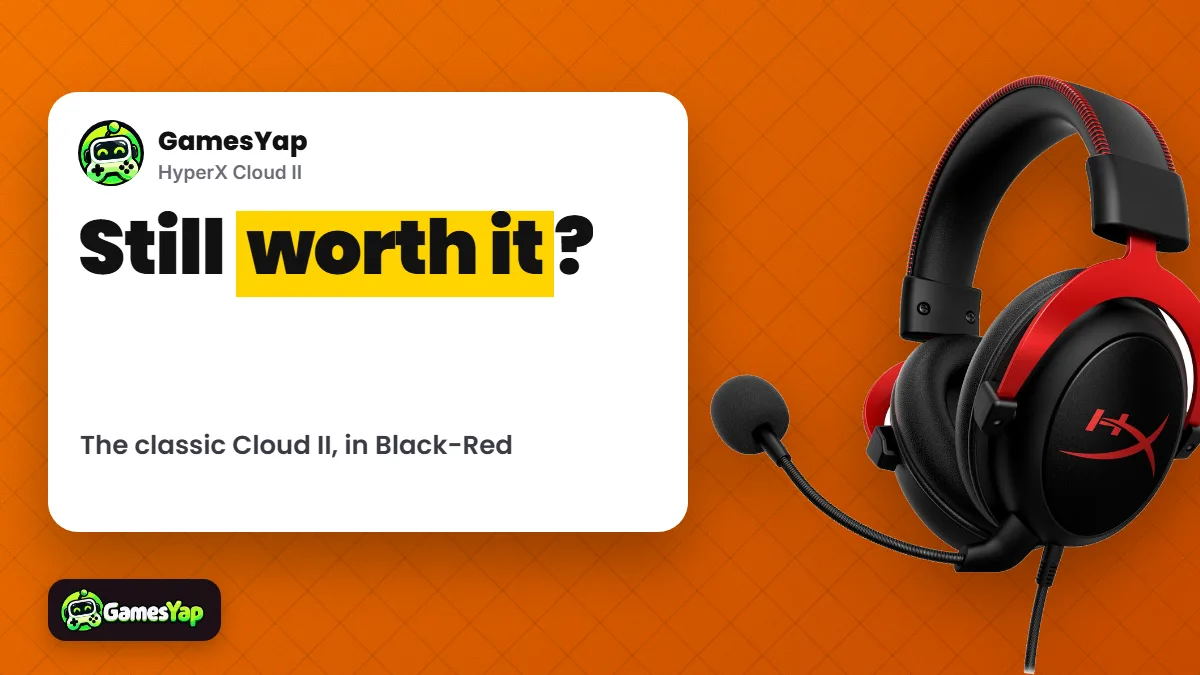
This HyperX Cloud II review roundup starts with the answer: yes, the Cloud II is still worth it if you want a comfortable, no-fuss wired headset, especially if you'd use its USB control box on a PC. It's an old design, first released in 2015. Its successor, the Cloud III, fixes a few things, so check the differences before you buy.
Here's what to do: look at the spec box and the "watch out for" list. If the control box and the spare velour pads appeal to you, check the price on the Black-Red Cloud II. If you'd rather have controls on the ear cups and USB-C, read our HyperX Cloud III review roundup instead.
Our verdict in 30 seconds
- Buy it if: you want proven all-day comfort, a USB control box for PC and two sets of ear pads.
- Skip it if: you want deep bass, USB-C or controls built into the headset.
- Why: reviewers have called it one of the most comfortable gaming headsets for a decade, and it's still under $100.
HyperX Cloud II specs at a glance
The numbers come from HyperX's current spec sheet for the Cloud II.
| Spec | HyperX Cloud II |
|---|---|
| Drivers | 53mm dynamic, neodymium magnets |
| Frequency response | 10 Hz to 23 kHz |
| Microphone | Detachable, uni-directional, noise-canceling |
| Controls | USB audio control box (volume, mic, 7.1 toggle) |
| Connections | 3.5mm on the headset, USB through the control box |
| Weight | 0.7 lb |
| In the box | Headset, USB control box, detachable mic, velour ear cushions |
How we judged it
We haven't worn a Cloud II ourselves, and we won't claim we did. This verdict is built from HyperX's official specs, reviews from Tom's Guide, GamesRadar and PC Gamer, and Tom's Hardware's notes on how the Cloud III changed it. The Amazon listing we link to is the Black-Red version.
Why we picked it
- Comfort that reviewers still rave about. Tom's Guide called it maybe the most comfortable gaming headset its reviewer had worn.
- Two sets of pads: leatherette on the headset plus soft velour ones in the box.
- The USB control box gives you volume, mic mute and virtual 7.1 surround without any software.
- A sturdy aluminum frame, and a simple 3.5mm plug for consoles and phones.
Watch out for
- The bass isn't as strong as some rivals. Tom's Guide said the low end was lacking.
- The 7.1 surround is hard to hear. GamesRadar said it struggles to come through.
- No USB-C, no controls on the ear cups, and the mic has no mute light.
Why the HyperX Cloud II became a classic
The Cloud II's story starts with the first HyperX Cloud. PC Gamer pointed out that the original Cloud was a rebranded Qpad QH-90, a headset already known for comfort. HyperX, then owned by Kingston, kept that build and added virtual 7.1 surround for the Cloud II. HP bought HyperX in 2021, which is why the Amazon listing still shows the old Kingston-era model number, KHX-HSCP-RD. HyperX now sells the same Black-Red headset as 4P5M0AA.
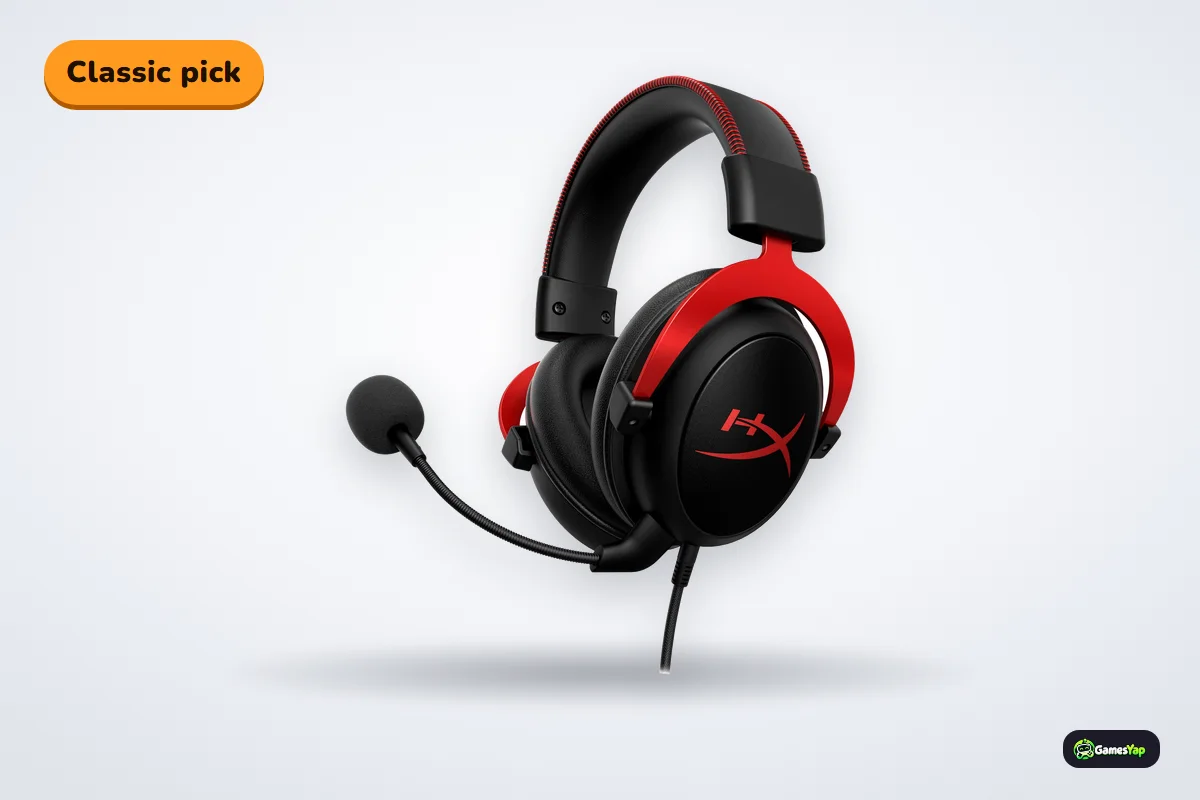
The Black-Red Cloud II has a red aluminum frame, red stitching on the headband and red HyperX logos on black cups. The mic has a big foam windscreen and comes off when you just want headphones.
Best for: PC players who like a physical control box, people who want velour pads as an option. Skip if: you want controls on the ear cups or a USB-C plug.
Comfort: still its biggest selling point
Comfort is the one thing every review agrees on. Tom's Guide's reviewer wore it for two days and never felt the urge to take it off. A co-worker said the fit was "just right." GamesRadar said it was more comfortable than much more expensive headsets it had tried.
Part of that is the choice of pads. The leatherette pads seal better and block more outside noise. The velour ones feel softer and plusher, which some people prefer for long sessions. Most headsets make you buy a second set. The Cloud II puts them in the box.
Sound: clear and balanced, light on bass
The 53mm drivers give the Cloud II a clean, easy-to-read sound for games. Tom's Guide found it easy to tell where gunfire came from. GamesRadar liked the mids and highs. The common complaint is bass. Big explosions don't hit as hard as on bass-heavy headsets, and Tom's Hardware described the Cloud II's highs as inconsistent next to the Cloud III's.
So it's good for competitive games and dialogue, less exciting for action movies and bass-heavy music.
The USB control box and 7.1 surround
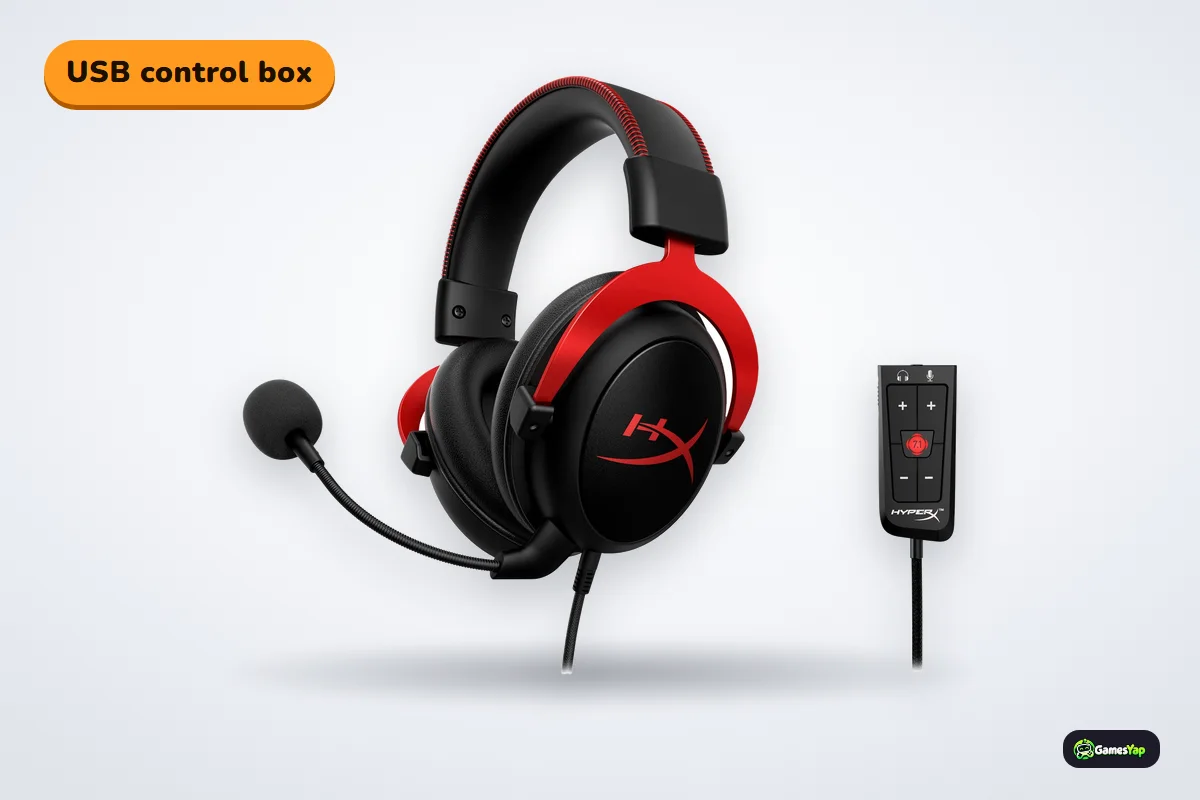
The control box is the Cloud II's signature extra. Plug the headset's 3.5mm jack into it, plug the box into USB, and you get volume buttons, a mic mute switch and a 7.1 button, all without installing anything. There's also a clip so it can hang from your shirt.
Don't expect much from the 7.1 mode. GamesRadar struggled to hear it, and PC Gamer said most players won't miss it unless they're very serious about competitive shooters. Think of the box as a handy remote, not a surround sound upgrade.
Microphone and platforms
The detachable boom mic is noise-canceling and uni-directional, and the foam tip cuts down breath noise. It's fine for squad chat. It doesn't have a mute light, so the mute switch on the control box (or your console's mute button) does the job. Tom's Hardware's Cloud III review noted HyperX moved from a 6mm to a 10mm capsule for the newer headset.
HyperX lists PC, PS5, PS4, Xbox Series X|S, Xbox One, Nintendo Switch and mobile. On consoles and phones you skip the control box and plug the 3.5mm jack straight into the controller or device.
Cloud II or Cloud III?
The Cloud III is the newer and more refined headset. It has angled drivers, a 10mm mic with a mute light, controls on the ear cups and a USB-C dongle. The Cloud II wins on extras: spare velour pads and the control box. Our Cloud II vs Cloud III comparison puts all three side by side, including the wireless Cloud III S.
Is the HyperX Cloud II still worth it in 2026?
Yes, if comfort and a simple setup matter most, and especially if you'd use the control box on a PC. It's no longer the most modern pick, and anyone who wants deep bass or USB-C should look at the Cloud III or another headset. But the reasons people bought it in 2015 still hold up: it's comfortable, sturdy and easy to use.
Want a free game to try it on? Willow Smash is a cricket batting game where you can play live matches with up to 3 friends, and Orbit Breaker is a blade io game where you clash orbits with other players. For more, browse our io games or the list of multiplayer browser games to play with friends.
Product images: HyperX. Specs: HyperX's Cloud II product page. Reviews quoted: Tom's Guide, GamesRadar, PC Gamer, Tom's Hardware.
FAQ
Is the HyperX Cloud II still good in 2026?
Yes, for comfort and simplicity. Reviewers have called it one of the most comfortable gaming headsets for years, and it still works with PC, PS5, Xbox, Switch and phones. Its weak spots are lighter bass, a 7.1 mode that's hard to hear, and no USB-C. The newer Cloud III fixes several of those.
Does the HyperX Cloud II work on PS5 and Xbox?
Yes. HyperX lists PS5, PS4, Xbox Series X|S and Xbox One. On consoles, plug the headset's 3.5mm jack into the controller and leave the USB control box for your PC. You'll get stereo sound and the mic. The 7.1 surround mode only works through the control box over USB.
Is the HyperX Cloud II 7.1 surround good?
Not really. The virtual 7.1 mode is switched on with a button on the USB control box, but GamesRadar said it struggles to come through, and PC Gamer said most players won't miss it. Treat it as a bonus. The Cloud II's stereo sound is already clear enough to tell where footsteps and gunfire come from.
What comes in the box with the HyperX Cloud II?
According to HyperX, you get the headset, the USB audio control box, the detachable noise-canceling mic, a set of velour ear cushions and a quick start guide. The headset arrives with leatherette pads fitted, so you can swap to velour when you want a softer feel. The warranty is two years.
Should I buy the Cloud II or the Cloud III?
Buy the Cloud III for the more modern design: angled drivers, a 10mm mic with a mute light, ear-cup controls and USB-C. Buy the Cloud II if you want the USB control box and spare velour pads, or if you find it at a better price. Both are known for excellent comfort, so you can't go far wrong.
Final verdict
Our pick
The HyperX Cloud II is still a smart buy for comfort and simplicity, with velour pads and a handy USB control box in the box. Choose the Cloud III instead if you want a better mic, USB-C and ear-cup controls.
Some links in this article are affiliate links. If you buy through one, GamesYap may earn a small commission at no extra cost to you. We only list products we would buy ourselves, and the commission never changes what we recommend. As an Amazon Associate, GamesYap earns from qualifying purchases.