
Guides
HyperX Cloud II vs Cloud III (and Cloud III S Wireless): Which Should You Buy?
HyperX Cloud II vs Cloud III vs Cloud III S Wireless on comfort, sound, mic, connections and battery. Our pick for most people, and when the others fit better.
 By Mahedi Hasan9 min read
We may earn a commission if you buy through links on this page, at no extra cost to you.
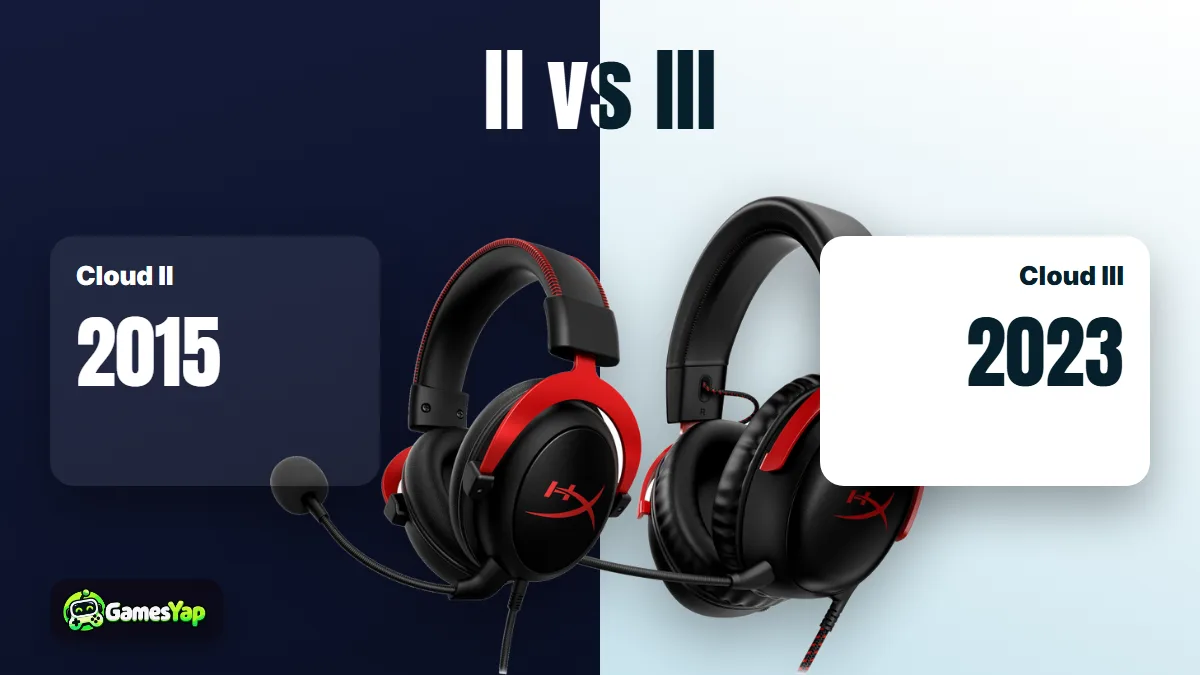
HyperX Cloud II vs Cloud III comes down to this: for most people, buy the Cloud III. It's the newer headset, with a better mic, controls on the ear cups and USB-C, and it's just as comfortable. Get the Cloud II if you want its USB control box and spare velour pads. Get the Cloud III S Wireless if you want no cable and a huge battery, and you don't play on Xbox.
Here's what to do: find your platform and play style in the table below, then check the price of that headset. All three links go to the exact colors shown in our pictures.
Quick answer
- Best for most people: HyperX Cloud III, the refined wired Cloud with a better mic and USB-C.
- Best for extras: HyperX Cloud II, with a USB control box and spare velour pads in the box.
- Best wireless: HyperX Cloud III S Wireless, up to 120 h on the dongle and 200 h on Bluetooth.
| Headset | Best for | Connection | Xbox | |
|---|---|---|---|---|
| HyperX Cloud III (Black-Red) | Most people | 3.5mm, USB-A, USB-C | Yes, via 3.5mm | Check price |
| HyperX Cloud II (Black-Red) | Control box and extra pads | 3.5mm, USB via control box | Yes, via 3.5mm | Check price |
| HyperX Cloud III S Wireless (Black) | Wireless and phone calls | 2.4GHz dongle, Bluetooth 5.3 | No | Check price |
How we compared them
We haven't tested these three side by side ourselves. This comparison uses HyperX's official spec sheets for all three, plus reviews from Tom's Hardware, Tom's Guide, PC Gamer, GamesRadar and SoundGuys. Tom's Hardware reviewed both Cloud III models and compared them directly with the Cloud II. For the full details on each headset, see our Cloud III, Cloud II and Cloud III S Wireless review roundups.
Specs side by side
| Headset | Mic | Controls | Extras | |
|---|---|---|---|---|
| Cloud II (2015) | Detachable, noise-canceling | USB control box with a 7.1 button | Spare velour pads | Check price |
| Cloud III (2023) | 10mm, mute light, pop filter | Volume and mute on the ear cups | Lightest: 0.67 lb | Check price |
| Cloud III S Wireless (2025) | 10mm boom + built-in mic | Ear cups, plus a media button | Up to 120 h / 200 h battery | Check price |
All three use 53mm drivers; the two Cloud III models have the newer angled ones. The Cloud II weighs 0.7 lb and the Cloud III S 0.79 lb. Specs are from HyperX, and bold marks where each headset is ahead.
Comfort
All three are famous for comfort, so there's no bad choice. The Cloud III builds on the Cloud II with more padding in the headband and ear cups angled to fit your ears. Tom's Hardware found the Cloud III's memory-foam pads slightly larger and thicker than the Cloud II's, and called it one of the most comfortable headsets its reviewer had worn. The Cloud III S Wireless uses the same design but weighs more because of the battery, and Tom's Guide found its pads got warm.
The Cloud II's trick is choice: it comes with velour pads as well as leatherette.
Winner: Cloud III, by a small margin.
Sound
The Cloud II and Cloud III both use 53mm drivers, but the Cloud III's are redesigned and angled. Tom's Hardware said the Cloud III sounds more balanced and refined, and described the Cloud II's highs as inconsistent. Tom's Guide found the Cloud II's bass lacking. The Cloud III has stronger bass and slightly bright highs, and SoundGuys still calls sound its weakest area. Neither is a music headset first.
The Cloud III S uses the same family of angled drivers, and Tom's Guide called its sound fantastic in games. None of the three surround modes impressed reviewers much.
Winner: Cloud III and Cloud III S (tie).
Microphone
Tom's Hardware reports HyperX moved from a 6mm mic capsule on the Cloud II to a 10mm one on the Cloud III, with an internal mesh pop filter and a red mute light on the mic. Reviewers still found the Cloud III mic a bit quiet, but it's the more modern setup. The Cloud III S adds a built-in mic, so you can take calls with the boom mic off.
Winner: Cloud III S Wireless for flexibility, Cloud III among the wired pair.
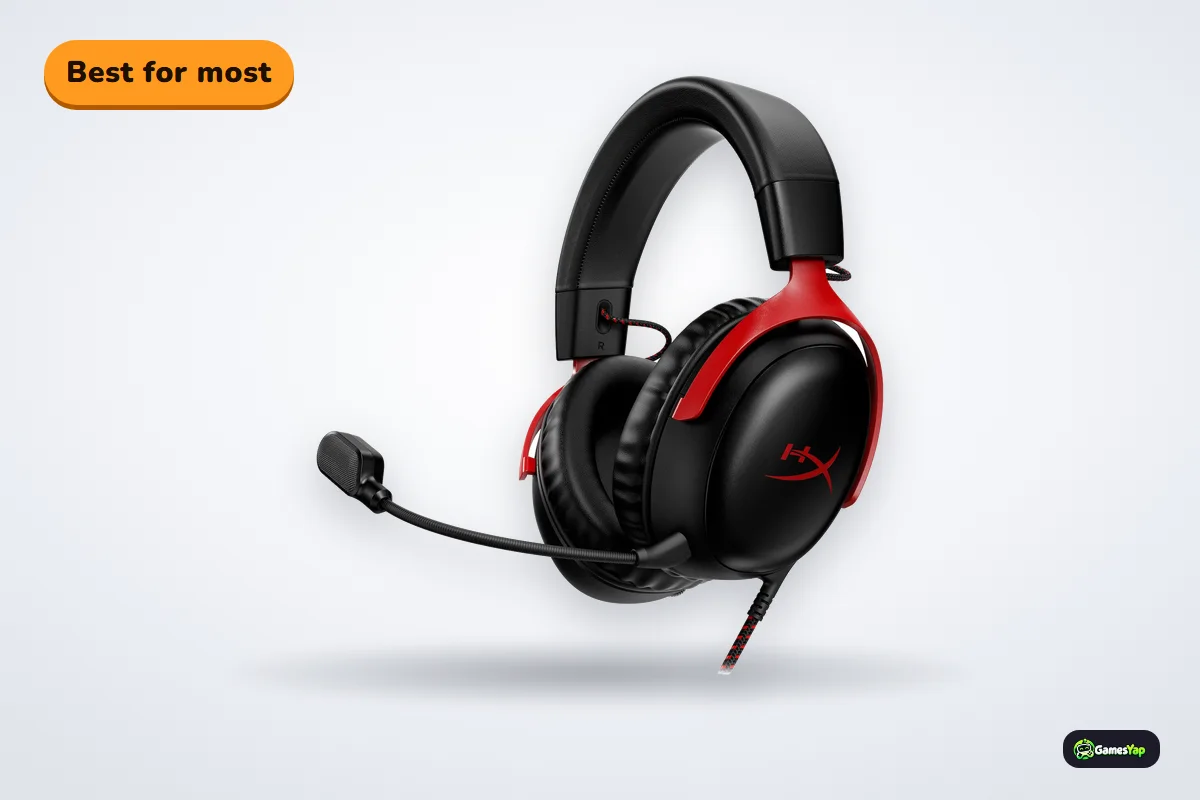
The Cloud III is the one we'd buy for most players. It keeps the Cloud II's comfort and adds the modern features people actually use every day.
Best for: one wired headset across PC, PS5, Xbox, Switch and phone. Skip if: you want wireless or the Cloud II's extras.
Connections and platforms
- Cloud III: a 3.5mm plug, plus a USB dongle with USB-C and a USB-A adapter. It works with PC, PS5, PS4, Xbox (through the 3.5mm plug, per Tom's Hardware), Switch, Mac and phones.
- Cloud II: a 3.5mm plug, plus the USB control box for PC. It works with the same consoles through the 3.5mm plug.
- Cloud III S Wireless: a 2.4GHz USB-C dongle and Bluetooth 5.3. It works with PC, Mac, PS5, PS4, Switch and phones. There's no Xbox support and no wired audio mode.
Winner: Cloud III for wired flexibility, Cloud III S if you want wireless.
Controls and software
The Cloud II puts its controls on a USB box on the cable: volume, mic mute and a 7.1 button, with no software needed. The Cloud III moves volume and mute onto the ear cups. The Cloud III S adds a mode switch and a multi-function button for music and calls. The two Cloud III models also work with HyperX's NGENUITY app on Windows for an EQ, mic gain and spatial audio. Reviewers found the app a bit unreliable, but you don't need it for the basics.
Winner: Cloud III S Wireless.
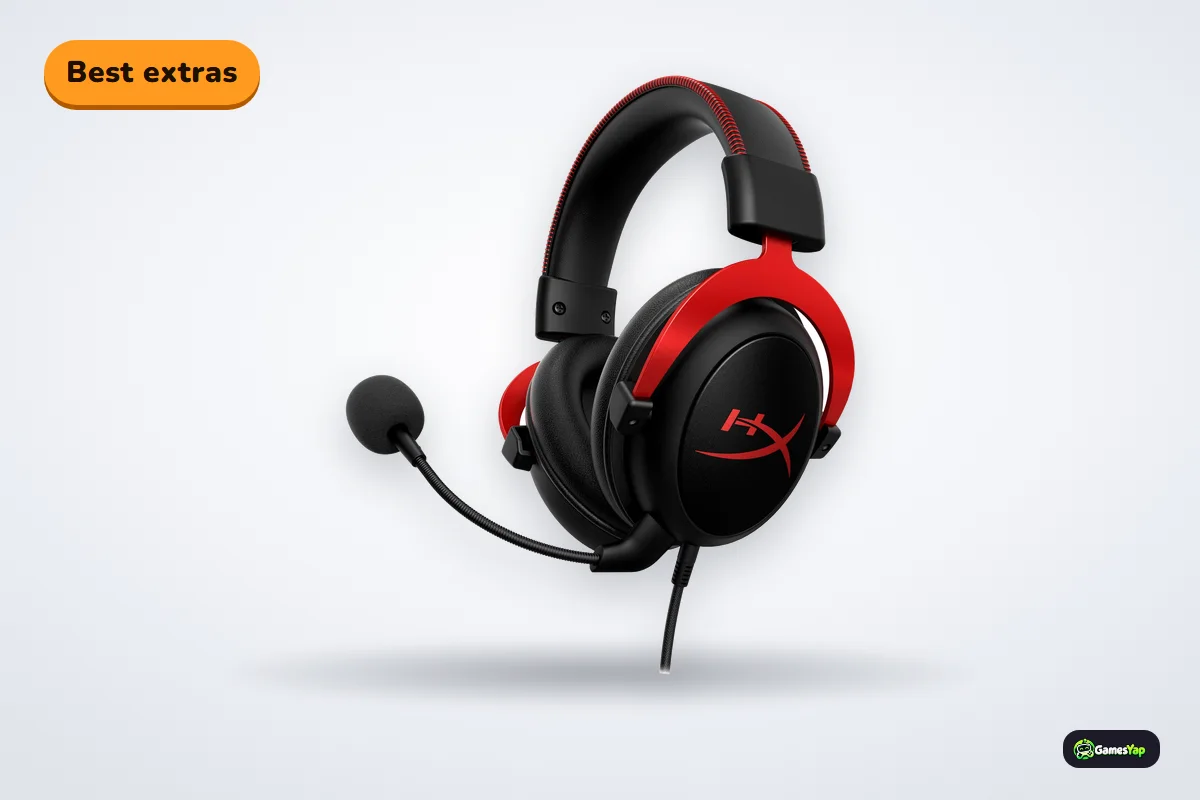
The Cloud II is still a good headset. Pick it for the control box and the velour pads, or if it's noticeably cheaper than the Cloud III when you shop.
Best for: PC players who like a physical control box. Skip if: you want USB-C or a mic with a mute light.
Battery and wireless
Only the Cloud III S Wireless has a battery. HyperX rates it at up to 120 hours on the 2.4GHz dongle and up to 200 hours on Bluetooth, measured at 50% volume, with a 5-hour charge. Tom's Hardware called it everything the older Cloud III Wireless should have been, mostly because of the added Bluetooth.
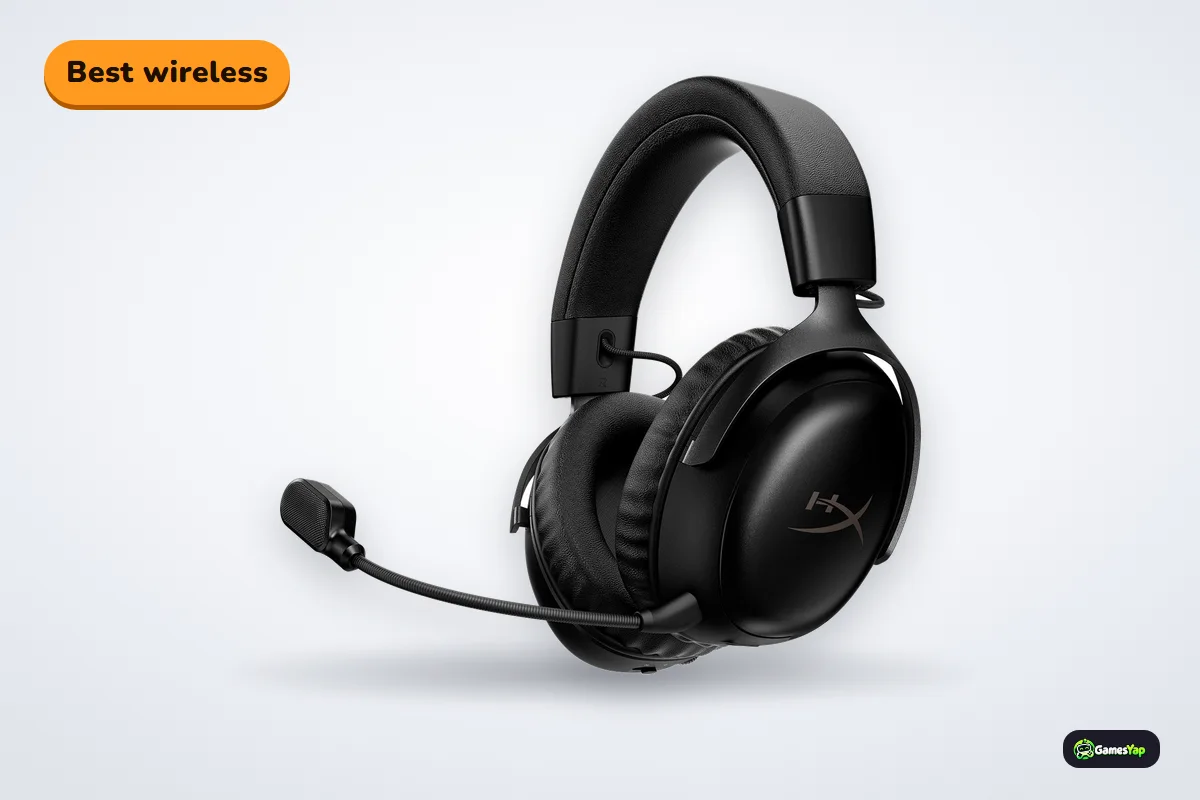
The Cloud III S is the pick if you're tired of cables and want one headset for your PC or PS5 and your phone.
Best for: PC, PS5 and Switch players who want Bluetooth too. Skip if: you play on Xbox.
Which one should you buy?
- Buy the Cloud III if you want the best all-around wired Cloud: better mic, ear-cup controls, USB-C and the same comfort.
- Buy the Cloud II if you want the USB control box, two sets of pads, or it's on a better deal that day.
- Buy the Cloud III S Wireless if you want wireless, Bluetooth for your phone and a huge battery, and you don't play on Xbox.
Planning to wait for a sale? Our guide to when the next Steam sale starts covers the big winter dates. And once your new headset arrives, try it on Serpent Arena 3D, a free multiplayer snake game, or Willow Smash, a cricket batting game with live matches for up to 3 friends. Both are in our multiplayer games.
Product images: HyperX. Specs: HyperX's product pages for all three headsets. Reviews quoted: Tom's Hardware, Tom's Guide, PC Gamer, GamesRadar, SoundGuys.
FAQ
Is the HyperX Cloud III better than the Cloud II?
For most people, yes. The Cloud III has redesigned angled drivers, a 10mm mic with a mute light and pop filter, controls on the ear cups and USB-C. Reviewers found it a bit more comfortable and more balanced-sounding. The Cloud II still wins on extras, with a USB control box and spare velour pads in the box.
Is the Cloud III worth upgrading to from the Cloud II?
Only if something bugs you about the Cloud II. If you want a mic with a mute light, ear-cup controls or USB-C for a newer laptop, the upgrade makes sense. If your Cloud II still fits well and sounds fine, the difference isn't big enough to replace a working headset. Comfort is excellent on both.
Which HyperX Cloud works with Xbox?
The wired Cloud II and Cloud III both work on Xbox Series X|S and Xbox One through their 3.5mm plug in the controller. The Cloud III S Wireless doesn't support Xbox at all: it only connects through its 2.4GHz dongle or Bluetooth, and Xbox accepts neither. Xbox players should choose one of the wired models.
Does the Cloud III have 7.1 surround like the Cloud II?
Not the same way. The Cloud II has a 7.1 button on its USB control box. The Cloud III instead offers DTS Headphone:X spatial audio through HyperX's NGENUITY app on Windows. Reviewers didn't find either effect impressive, so don't choose between them for surround sound. Stereo on both is clear enough for footsteps.
Is the Cloud III S Wireless worth it over the wired Cloud III?
Only if you want wireless or Bluetooth. You get up to 120 hours on the dongle, up to 200 hours on Bluetooth, a built-in mic and a media button. The wired Cloud III is lighter, usually cheaper and works with Xbox. If you only game at one desk, the wired Cloud III is the smarter buy.
Final verdict
Our pick
Buy the HyperX Cloud III for the best mix of comfort, mic and connections. Choose the Cloud II for its control box and spare pads, or the Cloud III S Wireless for Bluetooth and a battery that lasts for weeks.
Some links in this article are affiliate links. If you buy through one, GamesYap may earn a small commission at no extra cost to you. We only list products we would buy ourselves, and the commission never changes what we recommend. As an Amazon Associate, GamesYap earns from qualifying purchases.